
Assess the platform before the performers
Look for a clear privacy notice, current terms, visible support route and understandable account controls. The address bar should show the expected domain, especially on sign-in and payment pages. Avoid cloned pages reached through unsolicited messages. A polished directory is not evidence of strong security. The supporting policies and controls matter.
Separate the account from daily life
Use a dedicated email address, a display name that is not used elsewhere and a unique password. Enable multi-factor authentication when offered. Do not reuse personal profile photographs or reveal your workplace, location, phone number or other identifying details in chat. These steps reduce linkage, though they cannot guarantee anonymity.
Treat payments as a deliberate action
Read the purchase summary, currency, renewal terms and refund policy before confirming. Keep a personal limit and review statements for unexpected activity. Do not send gift cards, cryptocurrency or direct transfers because a stranger claims to represent support. Genuine account problems should be handled through contact details reached from the official site.
Protect the device and connection
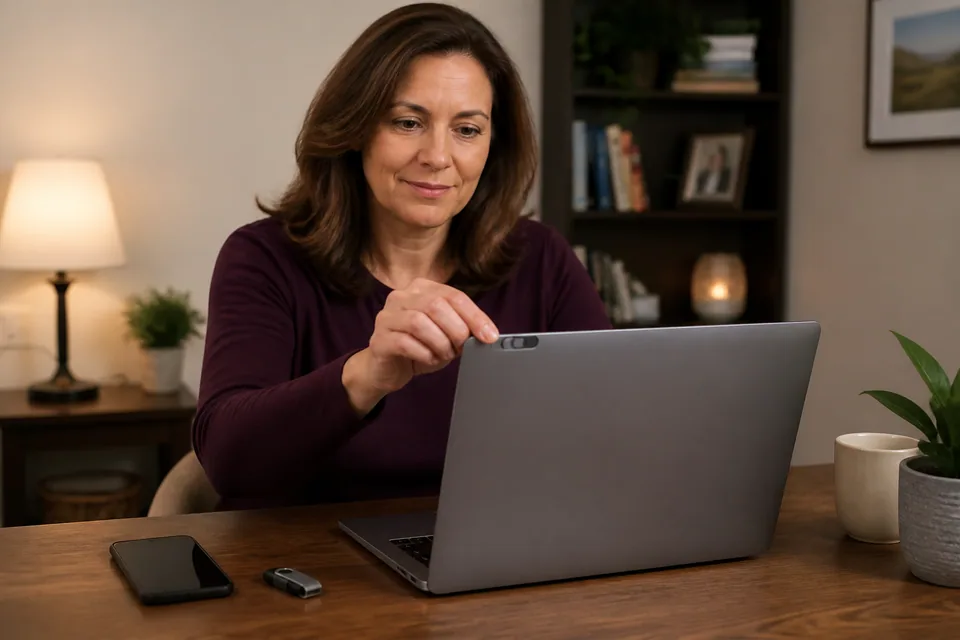
Install browser and operating-system updates, avoid unknown extensions and be careful on shared or public devices. Sign out when finished and consider what history, downloads, autofill and notification previews remain. A virtual private network can change network visibility but does not make an account anonymous or override platform rules and regional restrictions.
Respond early to warning signs
Leave when a page uses urgent threats, impossible prizes or requests for identity documents outside official verification. Change a password immediately if it may have been exposed and contact the payment provider about unrecognised charges. The privacy guide and beginner checklist provide a calm pre-session review without pretending to certify any platform as safe.
Build a stronger account boundary
Create a unique password with a password manager rather than changing one familiar password slightly. Use multi-factor authentication when the service offers it, and protect the email account used for recovery just as carefully. A separate email can reduce accidental linkage to work, family and social accounts, but only if its recovery details and display name do not expose the same identity. Review active sessions and connected devices periodically. If a login alert arrives unexpectedly, use a trusted bookmark or type the service address yourself instead of following the message link.
Recognise phishing and impersonation
Support staff should not need your password, one-time sign-in code or payment card details through room chat. Be suspicious of messages claiming an immediate account penalty, special refund or identity check on a different domain. Look closely at spelling in the address bar, not only at copied logos. Do not install a browser extension or remote-access tool because another user recommends it. When uncertain, close the message and open the official support page independently. Save non-sensitive evidence such as dates and case numbers, but never send identity documents outside the platform's documented verification process.
Control what the browser and device retain
Private-browsing mode can reduce local history but does not make activity invisible to the site, network provider, employer or account systems. Check saved passwords, autofill, downloads, media permissions and notification settings. Use the operating system's separate user profile when a computer is shared, and lock the screen when stepping away. Keep browsers and devices updated, remove extensions you do not need and review camera or microphone permissions after use. A VPN changes part of the network path. It does not create anonymity, correct unsafe account habits or override lawful platform restrictions.
Payments and account closure
Use only the payment route reached from the verified service. Read the currency, credit quantity, renewal wording and support process before confirmation, then review statements for unfamiliar entries. Do not send direct transfers, gift cards or cryptocurrency to someone claiming to fix a platform account. Before becoming active, locate the current procedure for disabling notifications, removing stored payment methods and closing or deleting the account. Policies may distinguish deactivation from deletion and may require retention of some records. Ask official support when the distinction matters rather than assuming that removing a profile erases every transaction immediately.
Reporting abuse and recovering control
Use in-platform reporting when a performer, viewer or impersonator threatens, coerces, doxxes or attempts to move a suspicious transaction off the service. Block contact before continuing the argument. If credentials may be exposed, change the unique password, end other sessions and protect the recovery email. Contact the payment provider promptly about unauthorised charges through the number or app you already trust. Keep the report factual and avoid redistributing intimate material as evidence. No checklist can guarantee safety, but early action can limit additional exposure and gives official support a clearer event to investigate.
Browser and accessibility signals
Security information is only useful when a visitor can reach and understand it. Check that keyboard focus is visible, controls have readable labels, headings are not clipped and important warnings do not rely only on colour. A payment or privacy control hidden behind an unusable mobile overlay is not meaningfully available. Broken images, unexpected redirects, mixed-security warnings and repeated console errors are reasons to pause. These interface signals do not prove the quality of back-end security, but they help reveal whether routine protective actions remain usable on the device and assistive technology you rely on.


